|
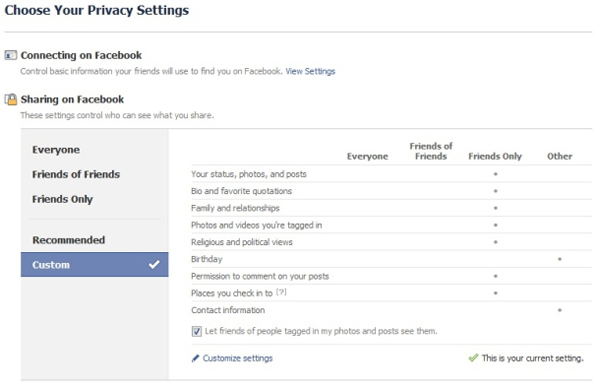
It may be that you don't mind people you don't know seeing your images. If you would prefer to limit access to your photos, uncheck this option. To see more access options, click "Customize settings" to fine-tune your Facebook sharing.
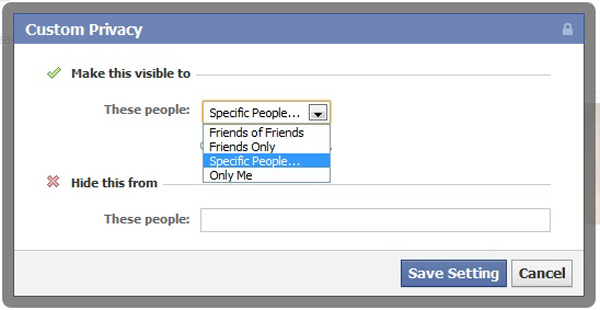
On the Customize Settings page, select "Edit privacy settings for existing photos albums and videos" at the end of the "Things I share" options to open a page listing your current albums and videos. Choose Customize in the drop-down menu under an entry to view more share options. These include the ability to limit access to specific people and to hide the album or video from the people you specify. |